The 3D button, top right, opens an evening studio: two large black cherry cases, a 61-key keyboard, four speakers and records. It is the same patch and the same sound as in the 2D view: switch back and forth whenever you like with the 3D / 2D button.
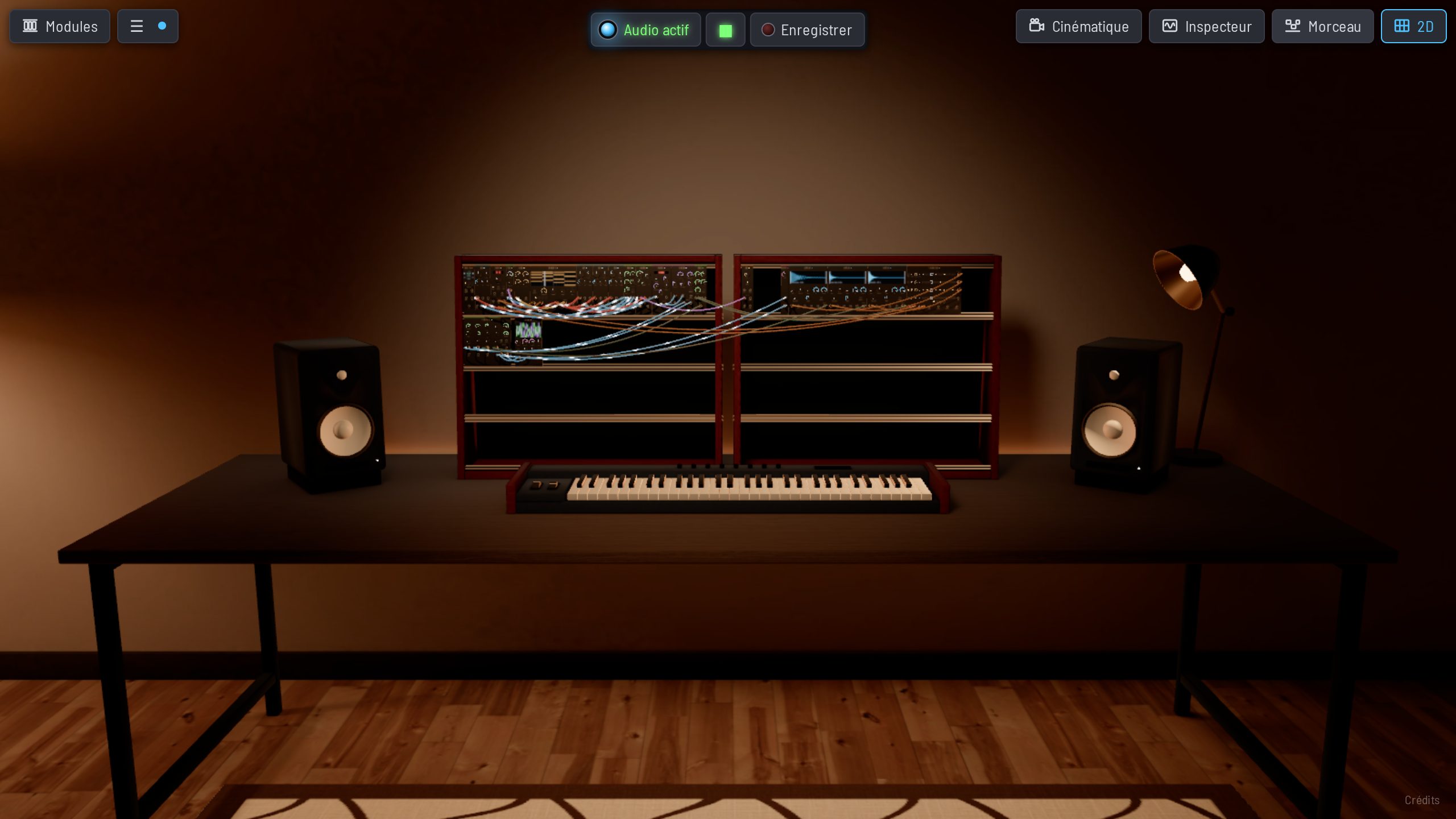
Everything is hands-on
- Plug in cables: they hang, rest on each other and light up as the signal flows.
- Turn knobs and press buttons, right on the panels.
- Drag a module to move it in the cases, and add new ones from the Modules drawer.
- Play the keyboard and the pitch bend and modulation wheels.
Looking around
Move the pointer towards the screen edges to turn your head and look around. The scroll wheel brings you closer to the modules. The Cinematic button sends the camera wandering around the studio, along the rows and above the cables.
The sound comes from the room
The sound comes from the studio’s four speakers and follows your gaze: turn your head and it turns with you. With headphones, choose the binaural output in ⚙ Settings to really hear it all around you (see Spatial audio).
Good to know
The 3D studio needs a computer with graphics acceleration. The Learn exercises happen in 2D. The ☰ menu is still there in 3D, with MIDI links, Learn and the rest.