ModularSynth plays with whatever you have at hand: your computer keyboard, the on-screen keyboard, or one or more MIDI keyboards plugged in over USB. Notes arrive in the MIDI→CV module, which turns them into voltages for the rest of the patch.
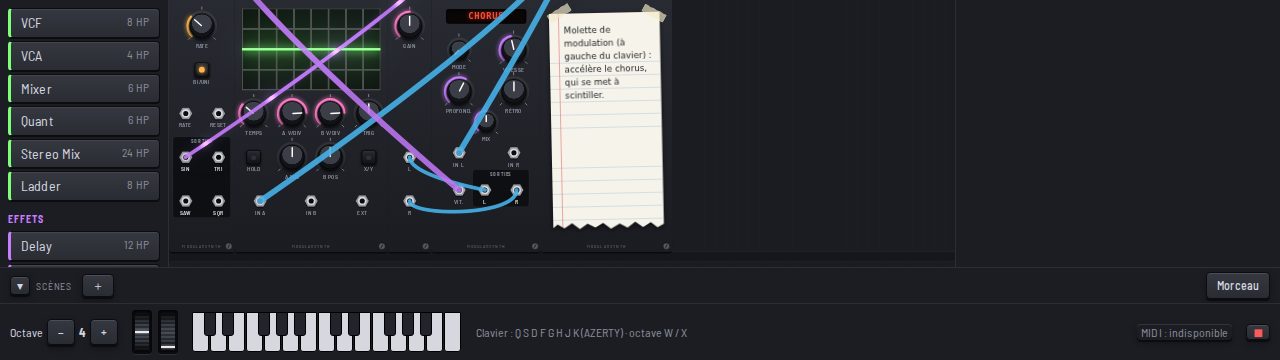
Computer keyboard and on-screen keyboard
The A S D F G H J K keys (on QWERTY) play an octave, Z and X change it. At the bottom of the screen, the keyboard plays with the mouse or your fingers, several fingers for a chord. To its left, two wheels: pitch bend, which springs back to the centre, and modulation, which stays where you leave it.
A real MIDI keyboard
Plug in your keyboard: ModularSynth finds it on its own (your browser may ask permission to use MIDI). Each MIDI→CV picks its keyboard (or the computer), its channel, and the pitch bend range: 2, 12 or 24 semitones. With two MIDI→CV modules, you play two instruments from two keyboards. The number of voices (up to 16) is in ⚙ Settings.
Presets played from the keyboard give the mod wheel a role, explained on their card and in a Memo.
MIDI learn
Right-click a knob, choose MIDI Learn, and turn a knob on your controller: the knob follows it. All your links are listed when you click MIDI, bottom right: a ✕ per link, or Forget all (Ctrl+Z brings them back).
With Ableton Live or another DAW
Send MIDI from your DAW to the browser, with loopMIDI on Windows or the IAC bus on Mac. To follow its tempo, turn on the Clock module’s MIDI switch and set your DAW to send its clock (Sync) to that port: the host tempo shows up, Start goes back to the first beat, Stop stops, Continue resumes.
To get the sound back, record a WAV or use a virtual audio output.
ModularSynth is a web app, not a VST or AU plugin.