A scene is a snapshot of your patch’s settings: the knob positions and each sequencer’s chosen page. Recall them to move from one part to another; chain them to build a song.
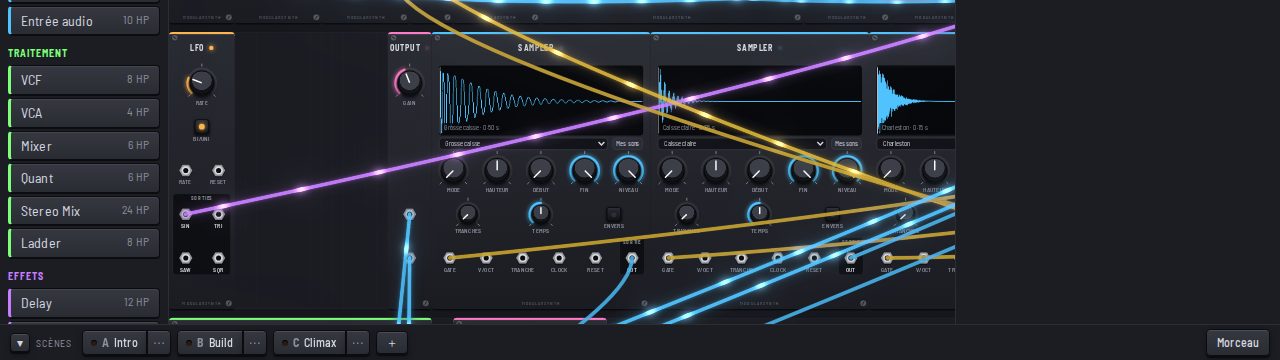
Creating scenes
The Scenes bar sits below the rack. Set up your patch, then click +: a new scene keeps the current state. Do it again for each part (intro, verse, chorus, break). Right-click a scene to Rename it, Update it with the current settings, Duplicate it or Delete it.
Recalling in time
Click a scene: it is recalled at the next bar, so you stay in time. While it waits, it is marked as waiting for the next bar.
Building a song
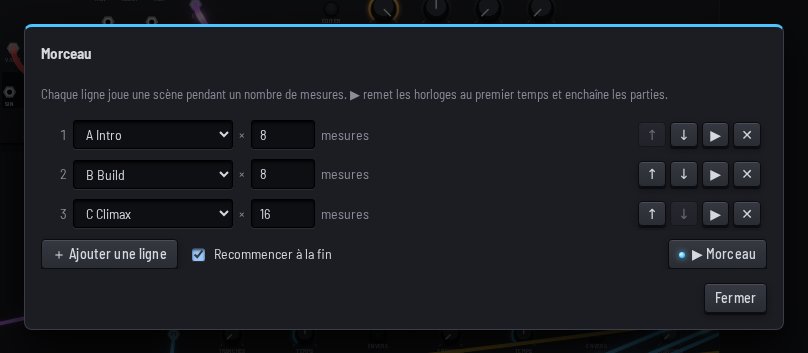
The Song button opens the list of parts. Each line plays a scene for a number of bars. ▶ Song sends the clocks back to the first beat and chains the parts; Loop at the end keeps the song going round. You need a Clock in the patch: it is what counts the bars.
To get started
Open the La sortie preset from the presets: a real track in three chained scenes, Intro, Build and Climax. An AI can also save scenes and build a song for you.