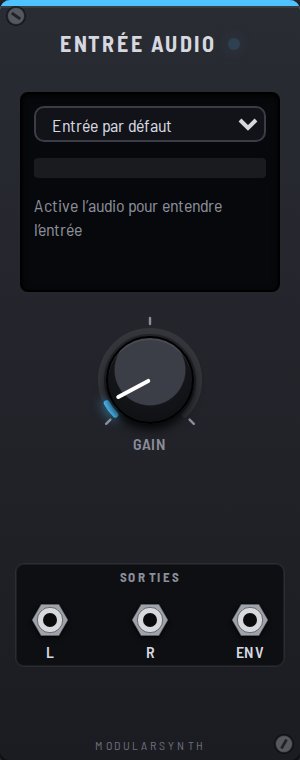
The Audio input brings the sound of a mic, a sound card or a guitar plugged into your computer into the rack. Run it through a filter, a distortion or a delay, like any oscillator. The sound never leaves your browser.
At first, the browser asks to use the microphone. If you say no, or if there is no input, the module stays silent and says so on its screen.
Wear headphones: without them, the sound from your speakers comes back into the mic and loops on itself (feedback).
Screen
- The menu picks the device: the default input, or another sound card. Names only show up after you allow access. The patch remembers your choice; on someone else's computer, their default input is used.
- The level meter shows the level after the gain; it turns red when the sound goes past ±5 V.
Controls
- Gain: the input volume. It starts low to avoid feedback; turn it up until the meter moves well without staying in the red.
Outputs
- L and R: the sound, left and right, at ±5 V like the other sources. A mono mic comes out the same on both.
- Env: an envelope follower, from 0 to 10 V. It rises when the sound is loud and falls back when it goes quiet: a voltage that follows your voice or your playing.