You don’t have to do anything to keep your work: your patch is saved automatically in this browser, and it is there when you come back.
My Library
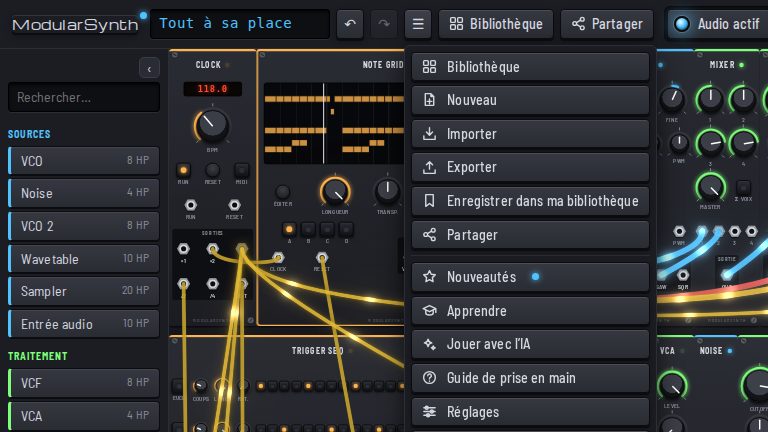
To keep several patches, open the ☰ menu and choose Save to My Library. The patch is stored there with its picture. The Library, in the top bar, shows the presets as illustrated cards and, next to them, My Library with your own patches.
Export and import
In the ☰ menu, Export saves the patch to a file on your computer, and Import loads it back. That is how you keep a copy, or move from one computer to another.
Your sounds
The sounds you drop into the Sampler are kept in the browser too, under My sounds.
Where is it kept?
Everything stays in this browser: nothing is sent to a server (see Privacy). If you clear the site’s data, or switch browsers, export your patches first. To send a patch to someone, share a link.