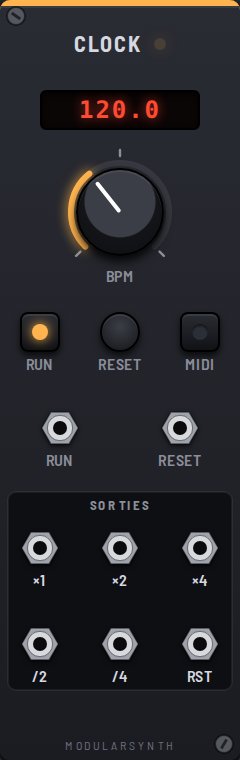
The Clock sets the tempo for the whole patch. It makes no sound: it sends gates, 10 V pulses, at a steady pace. A sequencer moves one step forward on each rising edge it receives. Everything runs inside the audio engine, sample-accurate: the rhythm never drifts.
Controls
- BPM: tempo in beats per minute (20 to 300), shown in red above the knob.
- Run: on or off. When it starts, the clock begins again from the first beat. The ▶/■ button in the top bar switches every Clock in the patch at once.
- Reset (button): sends the clock back to the first beat and fires a pulse on Rst.
- MIDI: follows the MIDI clock of an app (Ableton…) or a device. The host's tempo replaces the BPM on the display; Start begins again from the first beat (pulse on Rst), Stop stops, Continue resumes.
Inputs
- Run: each rising edge toggles on/off; the LED shows the real state.
- Reset: a rising edge does the same as the button.
Outputs
All outputs are in phase, with 50% duty-cycle gates (high half the time).
- ×1: one gate per beat (a quarter note at the shown tempo).
- ×2: two per beat (eighth notes).
- ×4: four per beat (sixteenth notes): sixteen steps per bar, the usual speed for a sequencer.
- /2: one gate every two beats (half notes).
- /4: one gate per bar (whole notes).
- Rst: a 1 ms pulse on reset and on start. Patch it into the RESET input of your sequencers and it brings them all back to step 1 together.